Blender for two.
Live.
Edit one Blender scene with a friend at the same time. Model, rig, pose, shade and animate together, and never overwrite each other's work.
One invite. That's it.
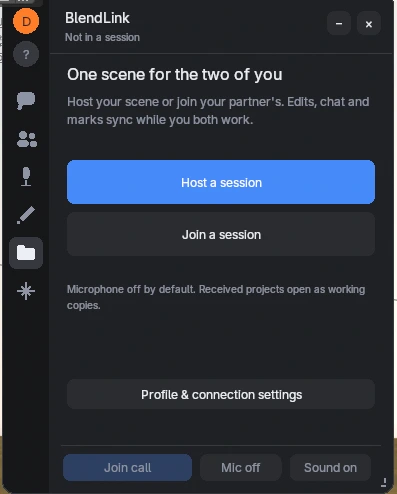
Host a session, copy the invite and send it. Your partner pastes it and joins. The project and its textures arrive by themselves.
Host
Open your .blend and press Host session.
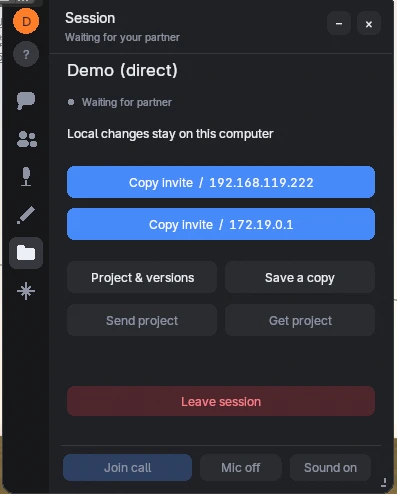
Copy the invite
One code. Send it in any chat.
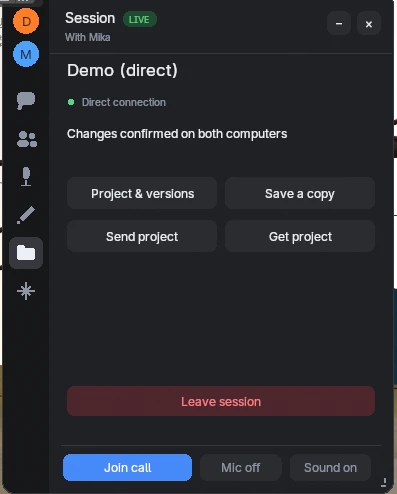
You are both in
Edits flow both ways from now on.
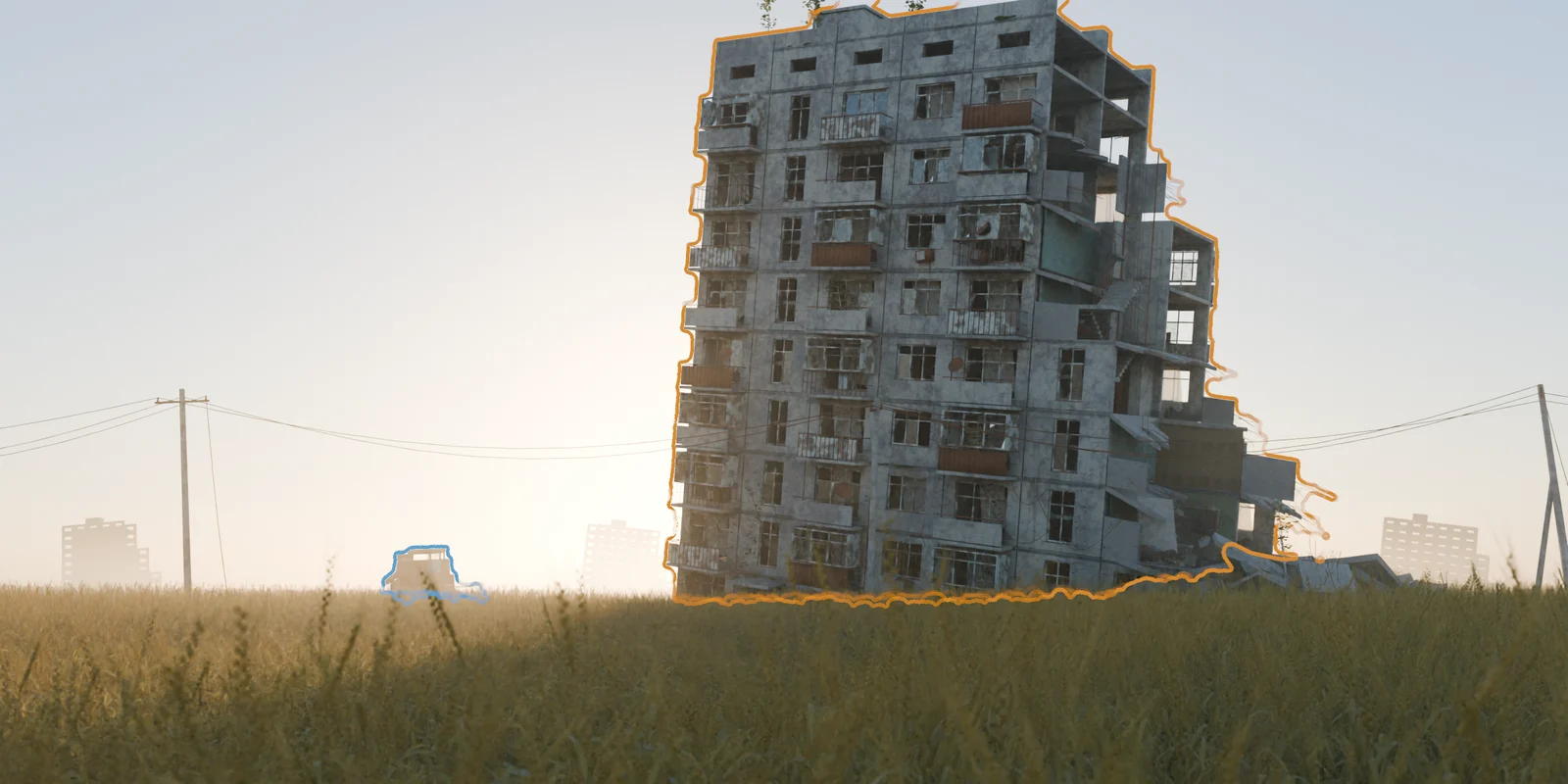
See who works on what.
Your partner's selection, name and colour right in your viewport. Watch the combine move while you stay on the building.
Rigs and poses, live.
Armatures, bone editing, poses, constraints, shape keys, drivers and weights stay in sync. Pose a character while your partner works on the scene.
Nobody overwrites your work.
What you select is yours while you hold it. Your partner sees it boxed in your colour.
- Select it, it is yours. It stays yours while you hold it.
- Your partner sees it boxed in your colour, with your name.
- Need it? Ask for it. They hand it over with one click.
Your whole scene, live.
Objects
Create, delete, duplicate, rename, parent, transforms, visibility
Meshes
Geometry and UVs from Edit Mode, Sculpt Mode strokes
Rigs
Armatures, bone editing, poses, bone constraints
Deformation
Vertex groups and weights, shape keys and their animation
Animation
Keyframes, curves, interpolation, F-Curve modifiers, markers
Drivers
Expressions, variables and targets
Modifiers
Every modifier and constraint, Geometry Nodes inputs
Nodes
Material, world and Geometry Nodes trees
Textures
Image files travel with the edit that uses them
Scene
Collections, world, cameras, lights, render settings
Chat, voice, marks.
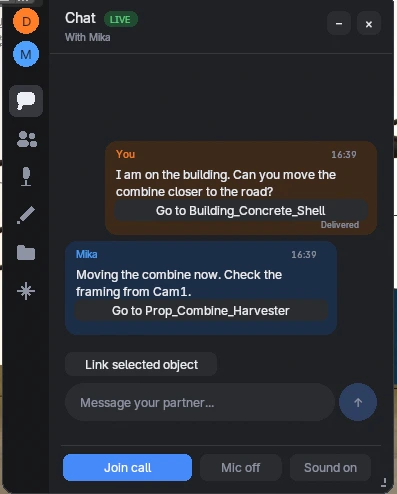
- Chat inside Blender. Link an object in a message and your partner jumps to it.
- Voice call with mute and push-to-talk. The microphone opens only when you join.
- Marks. Draw on the scene and pin notes in your colour.
- Follow view and a shared timeline to review a shot together.
Heavy scenes. No freeze.
Blender 5.2.3 LTS, Apple M2, 8 GB. Project transfer time depends on your network.
Your own AI. Same locks.
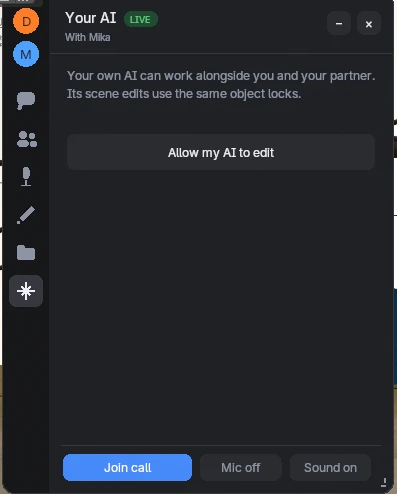
Let your AI app (Claude Code, Cursor or any MCP client) edit the shared scene. It follows the same locks, so it can never touch what your partner is holding. Off by default.
Before you buy.
BlendLink for two
- You and your partner
- Internet invite or LAN
- Windows, macOS, Linux
- No license key
Requirements
- Blender 4.2 or newer. Tested on 4.2 LTS, 5.2 LTS and 5.3 (macOS)
- Both on the same main Blender version (4.x with 4.x, 5.x with 5.x)
- Two people per session
Not shared live
- Grease Pencil and volumes (travel with the project)
- NLA, compositor, video sequencer
- Undo stays local